Your Front Door Isn’t the Weakest Point—This Is
Your Front Door Isn’t the Weakest Point—This Is
I’ve assessed hundreds of break-ins and data leaks—from quiet suburban homes to corporate offices—and I can tell you this: almost no one is breached through the front door. It’s almost always the back channel they never think about.
The Real Entry Point No One Secures
Your weakest point isn’t wood, steel, or glass—it’s trust. Every single system you rely on—smart locks, Wi-Fi cameras, even your phone—runs on an invisible layer of digital permission. And most people hand it out freely.
I’ve seen more incidents start with a shared password, an unverified guest Wi-Fi connection, or a “trusted” smart device than with any lockpick or crowbar. Attackers today don’t need force; they need familiarity.
How Attackers Actually Get In
- Phishing links disguised as device updates: “Your camera needs a firmware update—click here.” That single click opens the door wider than any forgotten key.
- Default credentials on smart devices: Many IoT gadgets ship with “admin / admin” still active. Attackers know this—and scan for it daily.
- Weak home networks: Unsecured guest networks, reused router passwords, or no firmware updates. It’s like leaving the gate open 24/7.
- Shared access: Family members, cleaners, or contractors using the same app credentials. One compromise exposes everyone.
Case Study: The “Secure” Home That Wasn’t
A client once called me after noticing strange activity on his security cameras. No forced entry, no broken locks—just footage missing at specific hours. Turns out, a former contractor’s phone still had authorized access to his camera app. No hack, no drama—just forgotten permissions.
Within 48 hours, we revoked old logins, reset credentials, and isolated the network. But the real fix wasn’t technical—it was procedural. He realized his “front door” had always been his Wi-Fi password and trust list.
How to Reinforce Your Digital Entry Points
- Audit device access monthly: Check your smart devices and apps—who’s logged in, what permissions exist, and what can be revoked.
- Change default passwords immediately: Never connect a new gadget until you’ve changed every default credential.
- Use app-based MFA: Especially for your email, cloud storage, and camera systems.
- Segment your network: Create a separate Wi-Fi for smart devices and guests—never share your main network credentials.
- Keep firmware updated: Many attacks exploit outdated versions of device software. Set reminders or enable auto-updates.
Gear That Closes Hidden Doors
If you want to go beyond basic awareness, here’s what I personally use and recommend:
- Wi-Fi vulnerability scanner — instantly shows what devices are connected and flags suspicious ones.
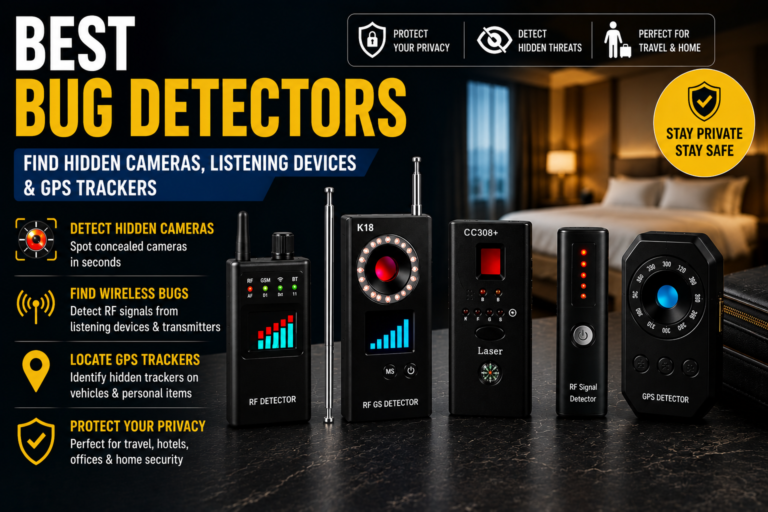
- Hidden camera & bug detector — sweeps for active transmitters in rental spaces or offices.
- Smart lock with encrypted — lets you see who accessed your property and when, even offline.
Each of these tools helps you take back control from invisible threats—the ones no alarm system will warn you about.
Security Isn’t Paranoia—It’s Maintenance
Think of security like brushing your teeth: routine, unglamorous, but absolutely necessary. You don’t have to fear the world—just maintain awareness. Every time you reset a password, revoke an old login, or update a device, you close another digital “door.”
Take Five Minutes Today
Right now, open one of your security or smart home apps. Scroll to the list of authorized users or connected devices. Recognize every one? If not, that’s where you start.
💬 Your move: Check your own “digital front door” today. Which access point surprised you most? Share in the comments below—I read every response.